
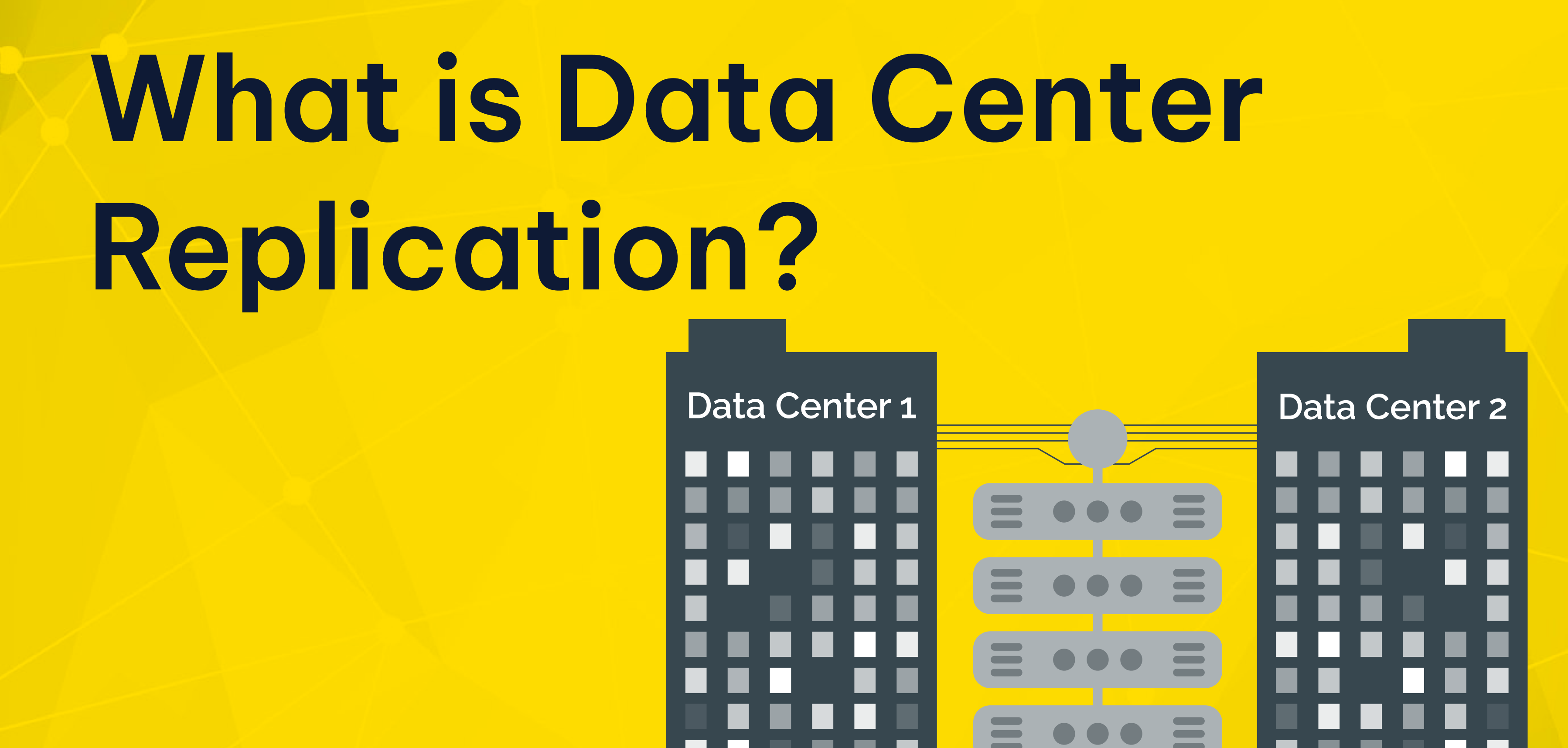
When most teams first think about protection, they think about backups. Backups matter, but they do not solve every continuity problem. If a critical server fails at 2:00 p.m., restoring from yesterday’s backup is not enough.
It is very different from having an up-to-date copy ready in another location. That is where data center replication becomes valuable. This is especially important for Windows Server environments running ERP, file sharing, MSSQL-based applications etc. A modern continuity strategy is no longer limited to a single traditional data center. Businesses now run workloads across on-prem racks, managed cloud platforms, branch offices, and even edge data centers.
In many cases, the goal is not to build an enterprise data center from scratch. The goal is simple: keep critical services available and protect customer data. Recovery also needs to be fast enough to prevent downtime from turning into a revenue problem.
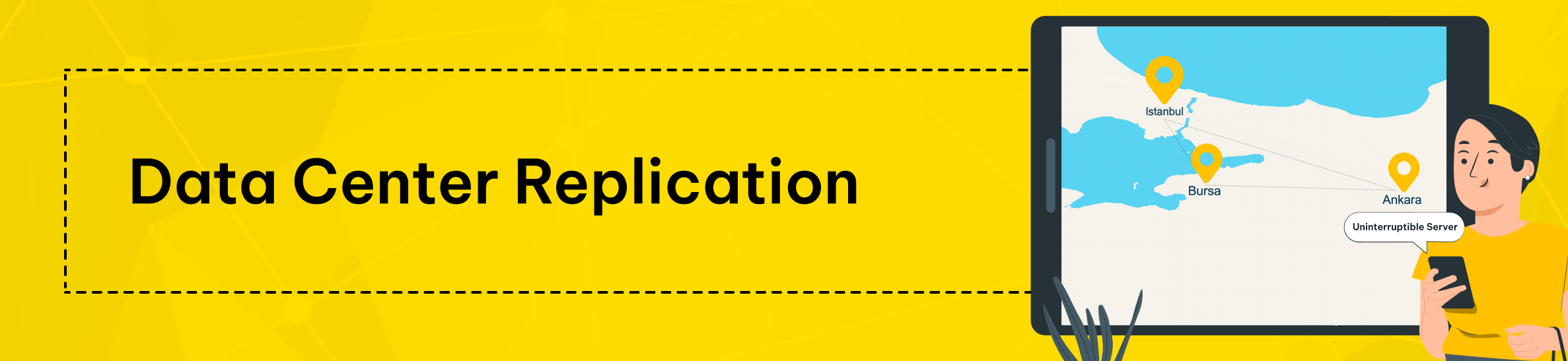
What Is Data Center Replication for Windows Server?
Data center replication means keeping one or more up-to-date copies of production data in another location. This allows services to continue if the primary site becomes unavailable. In a Windows Server environment, this usually means copying changes from the primary system to a secondary target. This happens in real time or near-real time.
The business value is straightforward. If a storage node fails or the site loses power, your organization can keep running. It does not have to stop operations. It does not have to rebuild from scratch.
A replicated copy helps restore service faster, protects transactions already written to disk, and supports stronger disaster recovery planning.
That matters across enterprise, provider-managed, and hybrid environments alike. It also matters when organizations use both private infrastructure and a public cloud service. Modern continuity plans now cover data centers including headquarters facilities, colocation racks, public cloud regions, and edge data centers.
As workloads become more distributed, replication becomes more important. It also becomes more important to understand how replication fits into your broader data center infrastructure.
Replication also supports broader goals beyond disaster recovery. It can improve planned maintenance workflows. It also reduces risk during upgrades.
This helps create a better customer experience for applications that need stable networks, reliable storage, and enough computing power. It is especially relevant when uptime affects checkout flows, internal operations, support systems, or partner access.
How Replication Works in a Windows Server Environment
At a high level, replication needs a source, a target, and a transport path between them. The source is where live production data changes. The target is where those changes go.
It stays ready for failover if needed. Between them sits the replication mechanism, which can work at the storage, hypervisor, database, or application layer.
In native Windows-based environments, Microsoft Storage Replica is a well-known replication feature. It is often used in disaster recovery planning. In many cases, it serves as a block-level replication option.
It supports both synchronous and asynchronous replication. Businesses often consider it when they need to keep Windows Server volumes in sync across servers or clusters.
The network path matters just as much as the software. Latency, packet loss, and bandwidth affect how quickly a secondary copy can be updated. In practice, the data center network must be engineered to match the recovery target.
If you want near-zero data loss, the connection between sites has to be fast and stable enough to support it. If distance is greater, asynchronous replication is usually more practical.
A complete design also accounts for related services. Active Directory, DNS, authentication, storage, monitoring, and orchestration all influence whether failover works cleanly.
Replication is not just about copying bits. It is about making sure the entire application path can recover in an organized way. That is why data center design and data center security both matter from day one.
A practical way to choose sync vs async
- Choose synchronous replication when data loss tolerance is close to zero and site latency is low.
- Choose asynchronous replication when the distance between sites is larger or the workload needs stronger write performance.
- Keep backups and snapshots separate from replication so you can recover from accidental deletions, corruption, or ransomware events.
- Test failover and failback regularly. A design that is never tested is only a theory.
Synchronous vs Asynchronous Replication
Synchronous replication
Synchronous replication writes data to the primary and secondary locations as part of the same transaction flow. In simple terms, the write is not considered complete until both sides acknowledge it. This is the model many businesses choose when they need the smallest possible recovery point. It is also preferred for Windows Server workloads that require strong consistency, such as transaction-heavy databases.
The tradeoff is performance sensitivity. Synchronous replication depends on low latency and a reliable path between sites. If the distance is too great or the storage path is too slow, write operations can take longer to complete.
In some cases, that delay is more than the application can comfortably handle. That is why synchronous designs are usually paired with short-distance links and carefully planned high performance infrastructure.
Asynchronous replication
Asynchronous replication works differently. The primary system accepts the write first and then sends the change to the secondary site with a short delay. This gives it more flexibility in long-distance disaster recovery and hybrid cloud environments.
It is also a better fit for situations where performance matters more than zero-loss recovery. The tradeoff is that a few seconds or minutes of recent data may not yet exist on the target if the primary fails suddenly.
Hybrid models
Hybrid strategies are common too. A business might keep one synchronous copy nearby for fast failover. It might also keep a second asynchronous copy in a more distant location for geographic protection.
This kind of design becomes more relevant when applications run across multiple sites. It also becomes more important when branch systems rely on edge computing. The same is true when user traffic, reporting, and content delivery go beyond a single city or region.
When Replication Makes Sense
Local hardware or facility failure
Replication is most valuable when downtime creates direct business damage. That includes e-commerce checkouts, ERP systems, file services, RDP environments, application servers, customer portals, databases, and operational middleware. If the business cannot tolerate a long restore window, replication deserves serious consideration.
The first major use case is hardware or local facility failure. Even in a well-run facility with redundant cooling, generators, and uninterruptible power supplies, components still fail.
Storage controllers can break. Host nodes can crash. Network devices can become unstable. Replication reduces the risk that one local event takes down your entire Windows Server estate.
Regional disaster recovery
The second use case is regional disaster recovery. If the primary site goes offline, a second location lets you recover without waiting for it to return. You do not have to wait for the original site to come back online.
This is where a practical second site often matters more than having the biggest infrastructure budget. Not every company needs a hyperscale data center footprint or a full rollout on amazon web services. Many simply need a well-designed secondary location and a tested recovery process.
Planned maintenance and controlled change
The third use case is planned maintenance. Replication makes it easier to patch hosts, replace hardware, upgrade storage, or redesign application stacks. It also helps you do this without turning every maintenance window into a major business disruption. With the right runbook, traffic can be moved in a controlled way, work can be completed, and workloads can be returned with less risk.
Distributed delivery and edge computing
Replication also matters for distributed delivery models. Some businesses now operate across branch offices, regional nodes, and low-latency application zones. In these cases, performance may depend on where processing happens. A retailer, logistics business, or multi-site service company may need central coordination plus localized services.
This is where replication between core infrastructure and edge data centers becomes valuable. It is especially useful when edge computing supports local transactions and inventory flows. It also helps applications that depend on fast response times.
RPO and RTO: The Metrics That Actually Shape the Design
Two metrics determine whether a replication design is realistic: RPO and RTO.
RPO: How much data can you lose?
RPO, or Recovery Point Objective, defines how much data loss the business can tolerate. If your RPO is five minutes, the design must ensure that losing more than five minutes of data is highly unlikely. If your RPO is zero, the design typically pushes you toward synchronous replication and tighter infrastructure requirements.
RTO: How quickly must the service return?
RTO, or Recovery Time Objective, defines how quickly the service must be restored. If you promise a 15-minute recovery time for a critical system, your failover process needs to deliver it. It has to support that recovery target in practice. It has to support that recovery target in practice.
Your application dependencies, identity services, and operations team also need to support it. Replication helps, but recovery speed still depends on orchestration, testing, and the clarity of your procedures.
Start with business impact, not tools
Businesses often make a mistake here: they choose technology first and define targets later. The better sequence is the reverse. Start with the business impact. Then map each workload to an acceptable RPO and RTO.
Only after that should you choose the right approach. That may be synchronous replication, asynchronous replication, clustering, snapshots, backup-based recovery, or a mix of several methods.
What SMBs, E-commerce Teams, Enterprise Brands, and Agencies Should Prioritize
For SMBs
For SMBs, the question is rarely “Do we need a perfect enterprise platform?” It is usually “How do we avoid one outage turning into lost revenue and operational chaos?” In that context, Windows Server replication should be evaluated as a risk-control decision, not just an infrastructure upgrade.
For e-commerce teams
If you run an e-commerce operation, uptime is tied directly to revenue. A checkout outage during a campaign period affects sales immediately. A damaged database can also create customer service issues, stock mismatches, and trust problems.
Replication helps protect those operations. But it works best as part of a broader setup. That setup should include database-aware backups, strong monitoring, and clear ownership of failover.
For agencies and multi-brand operators
If you are an agency or multi-brand operator, your challenge is often concentration risk. Several client projects may depend on the same host cluster, database layer, or authentication path. A single failure can affect many customer environments at once. Replication reduces blast radius, but it must be combined with capacity planning, sensible tenant separation, and disciplined change control.
For larger enterprise teams
For larger enterprise teams, the concern is usually complexity rather than awareness. They often already understand the need for continuity. The harder part is aligning application owners, infrastructure teams, security stakeholders, and operations processes. Internal IT, external partners, and data center operators need the same documented assumptions about failover order, dependencies, and ownership.
Common Limits, Risks, and Mistakes
Replication is not backup
Replication is powerful, but it is not magic. The biggest mistake is confusing replication with backup. Replication keeps a current copy of the production state. If production data is damaged, hit by ransomware, or deleted by accident, the replicated copy may be affected too.
Replication protects availability. Backup protects history. Mature Windows Server environments use both.
Bandwidth and storage are easy to underestimate
Another common issue is underestimating bandwidth and storage requirements. Replication adds continuous traffic between sites and requires enough storage capacity on the target to keep the copy usable. If links are too slow or queues build up under load, the protection level may drift away from the business target.
Application dependencies still matter
Some teams also ignore application dependencies. A replicated volume alone does not guarantee a working service. Authentication, certificates, DNS, licensing, database consistency, firewall rules, and application sequencing still matter.
In larger environments, the right design often combines several layers. These can include storage replication, VM replication, database replication, load balancing, and security controls.
Compliance and governance cannot be ignored
Compliance and governance matter too. Depending on your sector, data protection and continuity obligations may require documented safeguards, technical measures, and tested recovery procedures. This is especially relevant for businesses handling sensitive customer records, financial transactions, or regulated operational data. This section is informational only and does not constitute legal advice.
Not every workload needs the same design
Finally, not every workload needs the same design. A live transaction system may justify synchronous replication, while a reporting server may not. A traditional data center hosting legacy apps may need a simpler second-site model.
A platform with global users may combine private infrastructure, amazon web services, and caching for content delivery. Good architecture comes from matching the control level to the business risk.
How Makdos Supports Windows Server Continuity
Windows Cloud Servers for flexible business continuity
Makdos approaches this problem as a business continuity issue, not just a server rental issue. For teams that need Windows-based infrastructure, the practical question is not only where the server runs. It is how the surrounding environment supports resilience, monitoring, security, and recovery when something goes wrong.
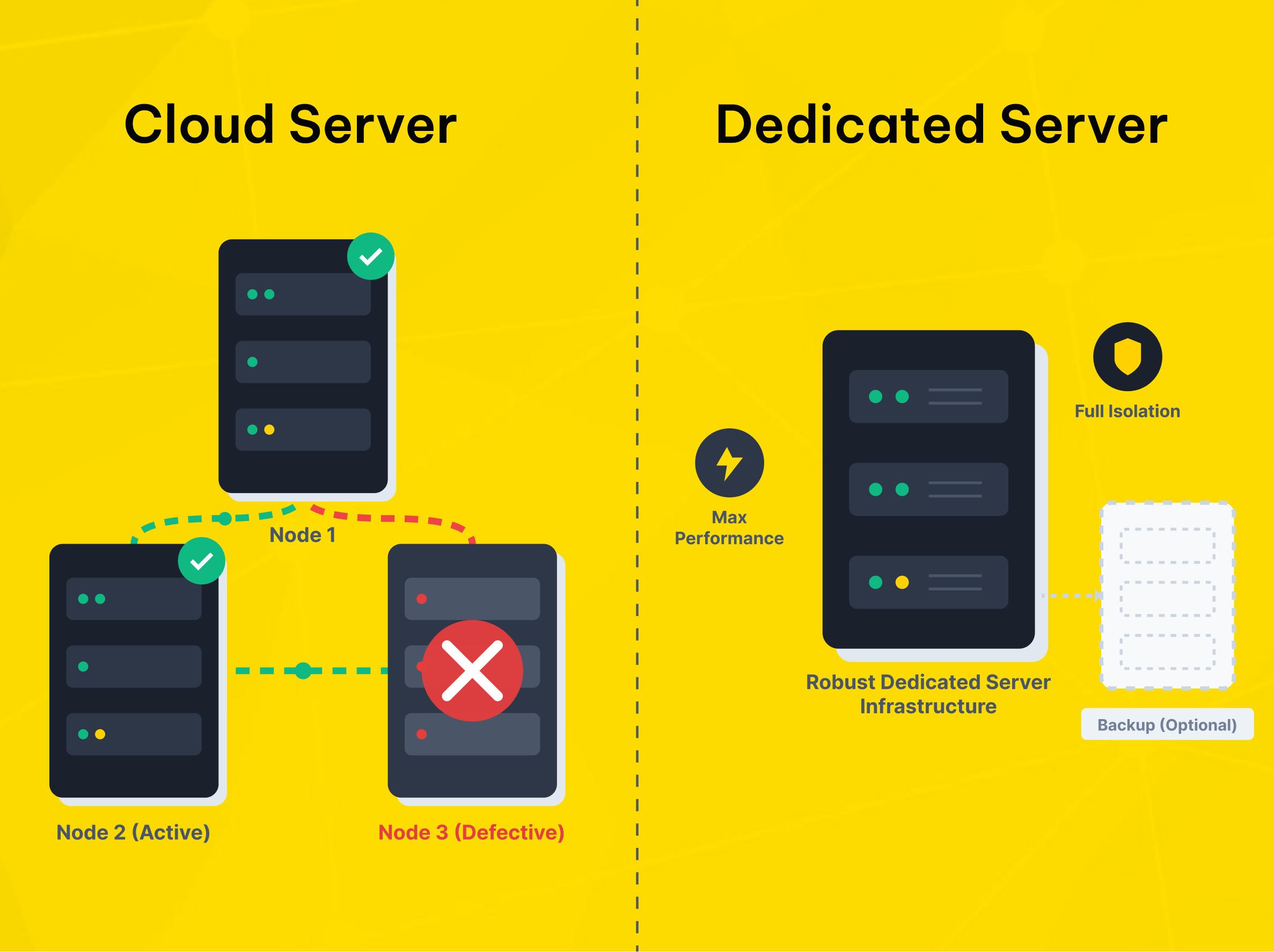
For virtualized Windows workloads, Makdos offers Windows Cloud Servers. These servers support remote access, flexible resource allocation, and backup options. They also include added security features such as firewall and DDoS protection.
This model works well for growing businesses that want a simpler setup. It is a good fit for teams that do not want to manage the full recovery stack themselves.
Dedicated Server Hosting for isolation and control
For heavier workloads, stricter isolation, or specialized performance requirements, Makdos also provides Dedicated Server Hosting. This is a better fit when you need custom hardware allocation or stronger isolation. It also makes more sense when you want tighter control over how Windows Server workloads are deployed and protected.
A continuity plan built around actual risk
The operational advantage is that replication planning can be paired with the rest of the infrastructure conversation. That includes server sizing, storage layout, firewall policy, backup strategy, remote management, and support workflows. Instead of leaving disaster recovery until later, the environment can be built around how downtime actually affects the business.
This matters for SMEs, e-commerce brands, enterprise teams, and agencies alike. A small company may only need a sensible recovery path for a few business-critical apps. A larger brand may need stronger segmentation, more predictable performance, and more layered data center security.
In both cases, the goal is the same: keep Windows Server workloads available when something unexpected happens. That depends on having the right infrastructure, network services, and support in place.
Conclusion
Windows Server replication is not only about copying data to another site. It is about protecting revenue, operations, and customer trust when infrastructure fails or maintenance cannot wait. The right design depends on your workloads, recovery needs, data loss tolerance, and infrastructure reliability.
If your team is still using a single server or only a restore-based plan, now is the time to review your continuity model. Start with the workloads that would hurt the business most if they stopped. Define realistic RPO and RTO targets. Then choose the mix of replication, backup, security, and hosting that matches those targets.
If you are reviewing the right Windows Server setup for business continuity, Makdos can guide you through the options. We can compare cloud and dedicated environments, assess your risk profile, and help you build a more resilient infrastructure.