

Server needs keep growing for both individuals and businesses. If you run a website, an e-commerce store, a client portfolio, or a business application, you will need hosting. In most cases, your options include shared hosting, cloud services, or renting a dedicated machine. In many real-world scenarios, a virtual server stands out as the “best balance” between flexibility, control, and cost.
In this guide, you will learn what a virtual server is, how it works, when it makes sense, and what advantages it brings. We will also cover how Makdos helps businesses build a stable and secure server foundation with scalable options.
What Is a Virtual Server?
A virtual server, is an isolated server environment built on a physical machine using virtualization.
Each instance behaves like its own server, with dedicated slices of CPU, RAM, storage, and network capacity.
Even though multiple virtual servers can run on the same host, each one works separately. You can run your own applications, set your own security rules, and fully manage the system. It works just like a standalone server.
For this reason, many businesses choose virtual servers. They offer more control than shared hosting without the burden of managing physical hardware.
What Does VDS Mean?
VDS stands for “Virtual Dedicated Server.” It is the shortened version commonly used in English.
The “private” part matters. In shared hosting, many users share the same resource pool. If another tenant consumes too much CPU or memory, performance can drop for everyone else. A virtual server allocates resources exclusively to your environment, resulting in consistent performance and better growth planning.
The core component behind a virtual server is the hypervisor. A hypervisor is the software layer that distributes and manages the host’s resources across multiple virtual machines. Common examples include VMware ESXi, Microsoft Hyper‑V, and KVM.
How Do Virtual Servers Work?
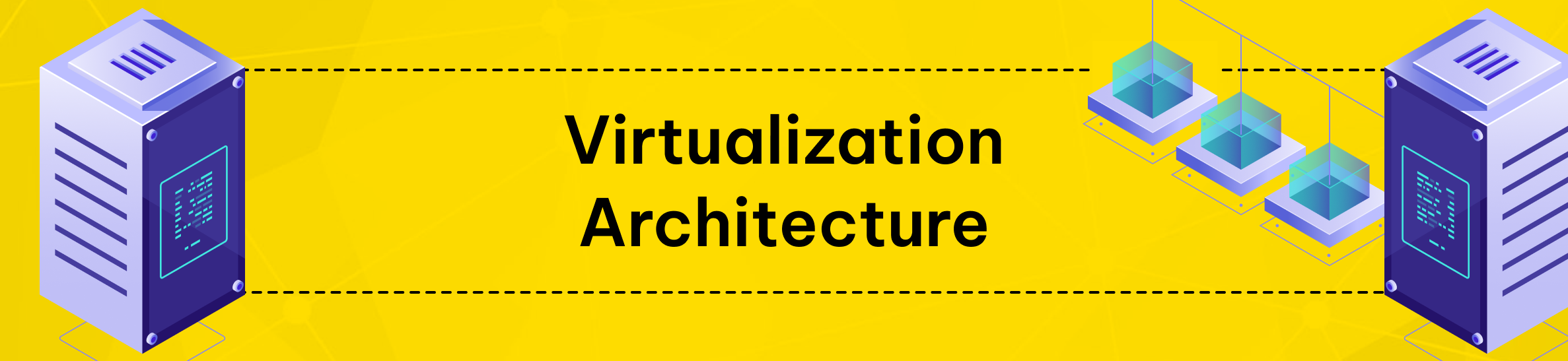
A virtual server works because virtualization abstracts the underlying physical machine. The hypervisor takes the host’s resources and assigns them to separate virtual machines. Each VM then runs as a self-contained server, with its own operating system, system configuration, and workloads.
Isolation allows the host to run multiple environments simultaneously. For example, one virtual server can run a Linux web server. Another can run a Windows based database environment. Each one stays isolated.
This approach increases efficiency. Instead of leaving unused capacity on a physical server, virtualization puts those resources to work. It allows multiple applications to run efficiently on the same machine in a professional data center.
One more advantage is flexibility. In many cases, you can increase RAM, CPU, or storage on a virtual server. You don’t need to move to a new machine. This is particularly useful for businesses with seasonal campaigns, variable traffic, or fast-changing product roadmaps.
A virtual server is “virtual,” but its resources are real. The hypervisor assigns CPU, RAM, and disk resources to your virtual machine. Your server then receives one or more IP addresses for public access, along with optional private networking.
If you expect rapid traffic growth, you can combine your virtual server with a load balancer. This distributes incoming requests across multiple servers and reduces pressure on a single system.
When Should You Choose a Virtual Server?
A virtual server is a strong option in many business scenarios. Below are practical use cases where a virtual server is often the right move:
- High‑Traffic Websites and E‑Commerce Peaks:
If your website slows down because of increased traffic, shared hosting may no longer be sufficient. In that case, moving to a virtual server is usually the next logical step.
The hypervisor allocates dedicated resources to your virtual environment. This results in more stable performance, especially during campaigns, promotions, or seasonal traffic spikes. For larger growth paths, adding a load balancer can further stabilize the experience.
- Custom Applications and Specialized Software:
If you need to run your own stack or custom services, a virtual server gives you full control. It allows you to configure the environment exactly as you need. Many business tools such as internal portals, analytics workloads, and CRM-style applications perform better with dedicated server resources. Projects that require specific libraries or a custom setup are also a natural fit for virtual private servers.
Shared hosting often restricts application environments such as Node.js or Python servers. A virtual server solves that by giving you a configurable environment.
- Hosting Multiple Projects (Agencies and Multi‑Brand Companies):
With a virtual server approach, you can keep different projects isolated from each other. A digital agency can place each client website on a separate virtual server. This reduces risk and ensures that issues in one project do not affect others.
- Testing and Development Environments:
A virtual server is ideal for staging, QA, and development. You can test updates, configuration changes, and new deployments without risking production stability. Compared to dedicated hardware, creating and rebuilding environments is faster and more cost-effective.
- Game Servers and Always‑On Services:
Services like game servers, streaming components, or voice communication systems often require consistent availability and control. A virtual server provides a stable base for always-on workloads, where low latency and predictable resources matter.
If your current hosting cannot keep up, your pages may start to slow down. In that case, upgrading to a virtual server is worth considering. For many SMBs and growing brands, it provides a professional server environment without requiring a dedicated hardware investment.
If your traffic changes often, choose a virtual server plan that allows easy scaling. Start right-sized, monitor CPU/RAM usage, and upgrade before performance becomes a user-facing problem.
Benefits of Using a Virtual Server
There are clear reasons why businesses choose a virtual server model. Here are the most important benefits:
- Dedicated Resources:
Each virtual server comes with allocated CPU, RAM, and storage resources. Unlike shared hosting, other users are far less likely to impact your performance. That translates into more consistent speed and reliability.
- Configuration Options and Flexibility:
You can choose your preferred operating system and install the software you need. You can also configure the server to meet your security and performance goals. In many virtual server environments, you also have administrative (root) access, which allows deeper optimization.
- Scalability:
As your business grows, you can increase CPU, RAM, or storage with minimal disruption. There is no need to rebuild your entire infrastructure. You can also optimize costs by scaling down if you no longer need the same capacity.
- Cost Efficiency Compared to Dedicated Hardware:
Renting a virtual server is usually significantly more affordable than renting or owning a dedicated machine. You avoid costs like hardware purchasing, maintenance, cooling, and power those responsibilities sit with the provider.
- Security and Isolation:
Because virtual server instances are isolated, issues on another server are less likely to affect yours. With the right provider, you can add features such as firewall rules, DDoS protection, and backup solutions. These measures improve security and support business continuity.
- Simpler Day‑to‑Day Management:
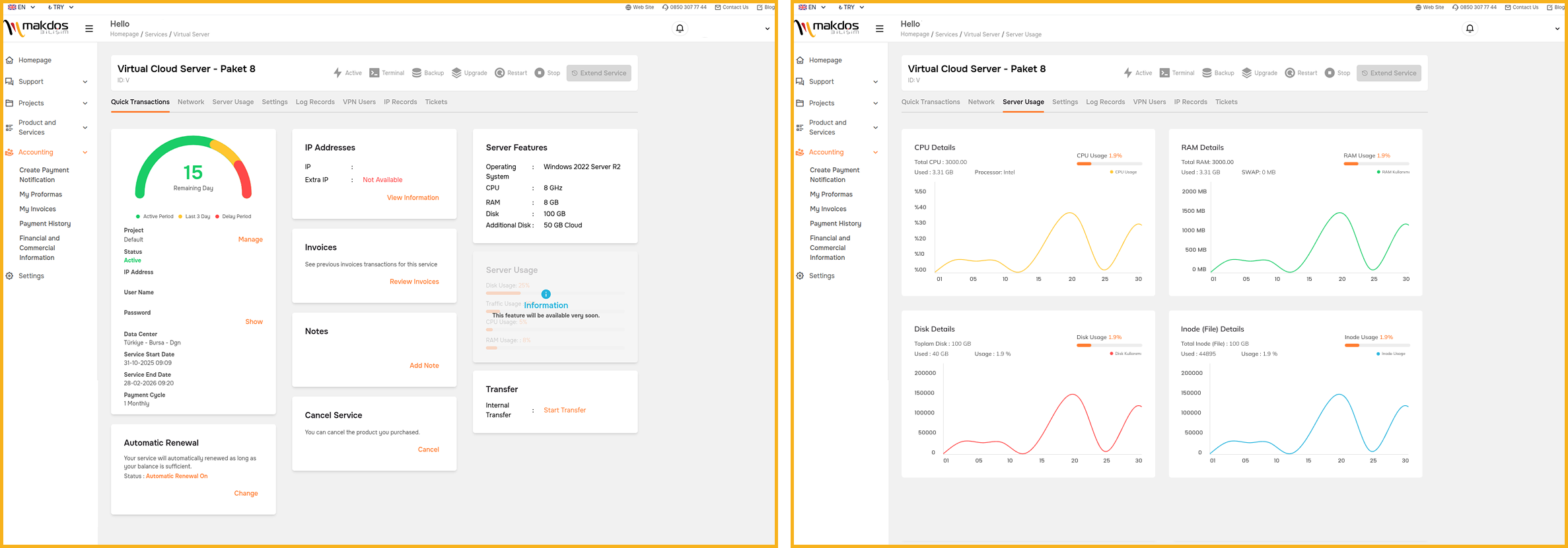
Many providers offer user-friendly control panels. These allow you to restart services, monitor resource usage, and reinstall the operating system without advanced technical skills.
That said, virtual servers can have limitations. Even with allocated resources, the overall quality of the host environment matters. If other tenants on the same host generate extreme load, it may impact performance slightly. This is why selecting a reliable provider is critical.
Also, remember that a virtual server still requires ongoing responsibility. You should update your OS and applications regularly. If you ignore updates, your system may face security issues and slowdowns.
A virtual server gives you control but that also means configuration matters. Plan backups, monitor resource usage, and keep your system maintained to protect uptime and performance.
Skipping security updates or using weak access controls can expose your virtual server to serious risk. Keep your OS and core services patched, and follow best practices for access management.
If you need maximum performance, dedicated ports, or special hardware, a dedicated server can be the better choice. For most businesses, a virtual server offers the right balance of cost, flexibility, and performance.
Stand Out with Makdos Virtual Server Service
Getting real value from a virtual server starts with choosing the right provider. Makdos provides a performance-driven virtual server solution built for businesses. We design it for SMBs, e-commerce companies, corporate brands, and agencies that need stability and room to grow.
Makdos builds its virtual server services on robust infrastructure and ensures continuous operation. With flexible resource management, you can adapt to changing traffic and workload needs without rebuilding your architecture.
Here is what you gain with Makdos in practice:
- Reliable uptime and scalable infrastructure: Built for stable service delivery and predictable performance.
- Tier-standard data center environment: Your servers run in professional facilities designed for availability and security.
- Strong connectivity and redundancy: Built to reduce bottlenecks and support consistent access.
- Security options: Add firewall and DDoS protection layers based on your risk profile.
- Backup strategy support: Regular backup options help strengthen your recovery plan and protect business continuity.
- Central management experience: Use a customer panel to monitor and manage your services more efficiently.
- Mobile-friendly operations: Manage services with the Makdos mobile approach when you need fast access on the move.
If your website or application is critical to your business, Makdos can help. It turns your virtual server into a reliable foundation that remains fast, secure, and accessible as you grow.
Conclusion and Summary
In this article, we explained what a virtual server is, how it works, and when it is the right choice. For many businesses, virtual servers offer dedicated resources and greater control. They do this without the cost and complexity of managing physical hardware.
If your current hosting is limiting performance or flexibility, it may be time for an upgrade. Moving to a virtual server can be the right next step. With the right server size and a reliable provider, you can grow with confidence. You also gain better stability and stronger business protection.
Set up a virtual server in minutes with Makdos. Discover our Virtual Server Rental solutions.