

Many companies do not outgrow shared hosting all at once. The pressure builds gradually over time. Traffic increases, applications multiply, customer expectations rise, and tolerance for outages or slow response times becomes much lower.
A virtual server closes that gap by giving businesses isolated resources and a more professional environment. It does this without requiring them to buy and maintain a full physical server from day one.
In the sections below, we will explain how a virtual server works and the difference between VPS and VDS. We will also look at why small businesses choose it and what they actually gain from making the switch. We will also show where Makdos fits into the picture. This includes scalable server options, security services, and support shaped around real business use cases.
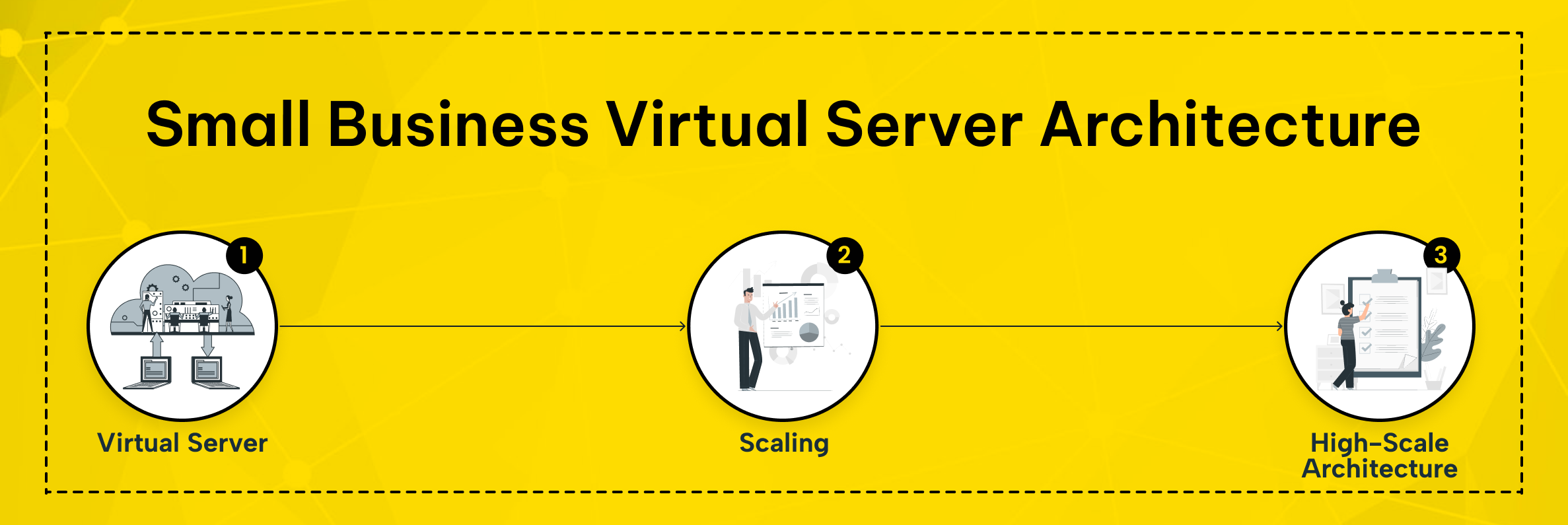
What Is a Virtual Server?
A virtual server is an isolated server environment created by dividing a physical machine into multiple independent environments through virtualization. A hypervisor divides compute resources such as CPU, RAM, storage, and networking across separate virtual machines. Each instance then behaves like its own server.
That is why many people see a virtual server as a middle option. It sits between entry-level hosting and a full physical server deployment. You get more control than shared hosting, but you do not need to buy, install, and maintain your own physical machine. The model also makes better use of physical hardware inside professional data centers.
Questions about virtual server work usually come down to resource allocation. The hypervisor abstracts the host and assigns a defined share of CPU, memory, disk, and network to each instance. That server can run its own operating system and receive its own IP address. It can also apply its own rules and host its own applications as if it were fully separate from the rest.
Among the common types of virtual hosting environments, VPS and VDS are the terms businesses see most often. In practice, providers may use them interchangeably.
In general, VPS refers to virtual private servers that run on the same host. Even so, each one stays isolated from the others. VDS usually suggests stronger guarantees for allocated resources and separation.
A virtual server is not perfect for every workload. If you need direct hardware access or maximum single-instance performance, a dedicated server may be the right choice. But for many growing businesses, a virtual server offers the better balance of cost, speed, flexibility, and control.
Why Small Businesses Move Beyond Shared Hosting
Small businesses usually leave shared hosting because their operational needs change. A brochure site becomes an online store, a client portal, or a business application. As that stack grows, the need for isolated resources, custom configuration, and predictable performance grows with it.
That is where a virtual server becomes compelling. It helps businesses reduce hardware costs and avoid a large upfront investment in a physical server.
It also supports a model where resources can grow in line with actual demand. It also supports business continuity by making recovery and scaling easier. At the same time, it helps teams manage services without rebuilding the environment from scratch.
7 Important Benefits of a Virtual Server
1. Lower Infrastructure Cost Without Sacrificing Capability
One of the biggest reasons businesses choose a virtual server is financial efficiency. Running on-premise infrastructure or renting a full physical server too early creates unnecessary overhead. You are not just paying for the machine itself. You are also paying for power, cooling, maintenance, monitoring, and the time needed to keep everything running.
A virtual server changes that equation. Instead of investing heavily in owned infrastructure, you rent the environment you need. This allows you to pay for the capacity you actually use.
That makes budgeting more predictable. It also gives smaller teams access to professionally managed data centers without requiring them to operate the environment themselves.
2. More Consistent High Performance
When a website, application, or internal system starts to matter to daily operations, performance becomes a business issue. A virtual server gives you allocated resources for your own workload. This reduces your exposure to the activity of other tenants on a shared plan. That means more stable response times, better user experience, and fewer surprises during busy periods.
This matters even more for e-commerce stores, customer portals, and database-driven applications. A high performance environment is not only about speed. It affects checkout flow, session stability, and the credibility of your brand.
3. Flexible Scaling Based on Real Demand
Growth is rarely linear. Some businesses grow steadily, while others see sudden spikes during campaigns, launches, or seasonal sales. A virtual server lets you respond without rebuilding your environment every time demand shifts. You can expand RAM, CPU, storage, or other compute resources as usage grows, then optimize again when demand settles.
That flexibility is especially useful when you run more than one project. Agencies may need to host multiple websites with different traffic patterns. A software team may need separate staging and production environments. With the right setup, you can create and manage these environments with far less effort than traditional infrastructure.
If traffic becomes more complex, the architecture can evolve. A business can start with one application server. Later, it can add a database layer, caching, or a load balancer to handle requests more efficiently.
A virtual server is usually the right next step when shared hosting no longer provides enough stability. It also becomes a strong option when you need a custom software stack or when resource usage changes over time. If you need full hardware control, compare this with a dedicated server or bare metal setup. The same applies if your compliance architecture has very specific requirements.
4. Better Security, Isolation, and Data Protection
Security is one of the clearest reasons to leave entry-level hosting behind. In a shared environment, another tenant’s behavior can affect your experience. This may happen through performance issues, mail reputation problems, or wider platform-level risks. A virtual server improves this by keeping your environment separate from other tenants at the operating system level.
That does not make security automatic, but it creates a much stronger foundation. You can define your own access rules and close unused ports. You can also enforce authentication policies and apply tools that fit your workload. For businesses handling customer data or internal systems, that stronger data protection model matters.
A virtual server also helps separate risk domains. You can use a cleaner IP address strategy where needed. You also avoid placing every business function inside one fragile shared environment.
5. Easier Administration and Automation
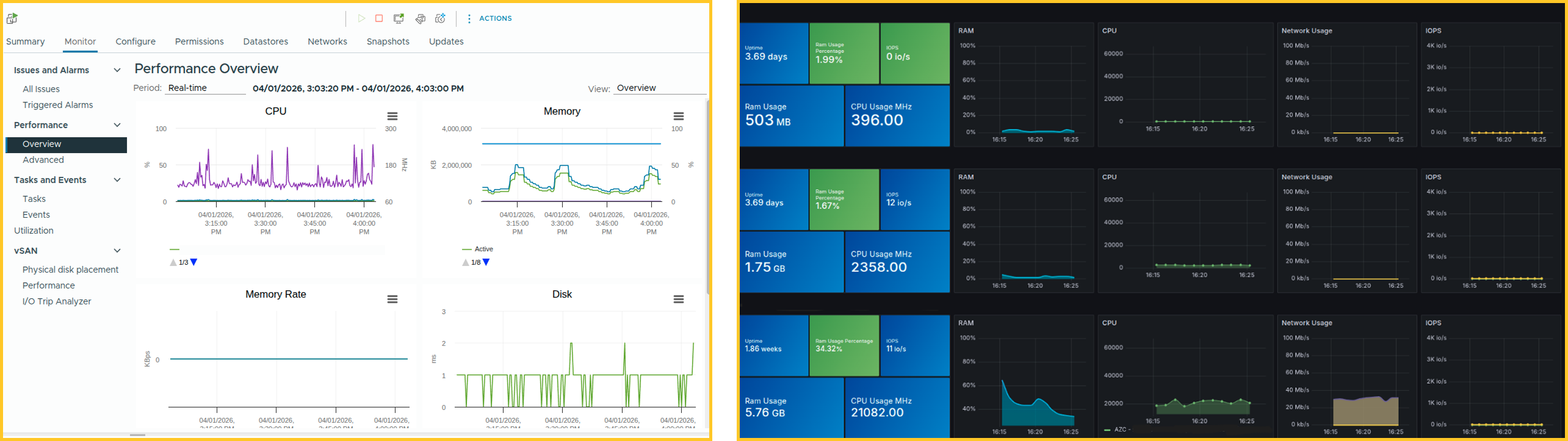
More control does not have to mean more chaos. Modern providers usually give you a panel or management interface that simplifies everyday tasks. You can restart the server, monitor usage, reinstall the operating system, or make quick changes on your own. This keeps basic tasks from turning into manual support requests.
That simplicity matters for businesses that do not want to hire a large server team. A practical management layer makes routine tasks easier to handle. These tasks may include reboots, snapshots, user access, and standard monitoring. It also shortens response time when something goes wrong.
Automation adds another advantage. Once the environment is stable, teams can automate backups, alerts, patch windows, and other repetitive tasks. This makes day-to-day operations more predictable.
6. Better Backup and Disaster Recovery Planning
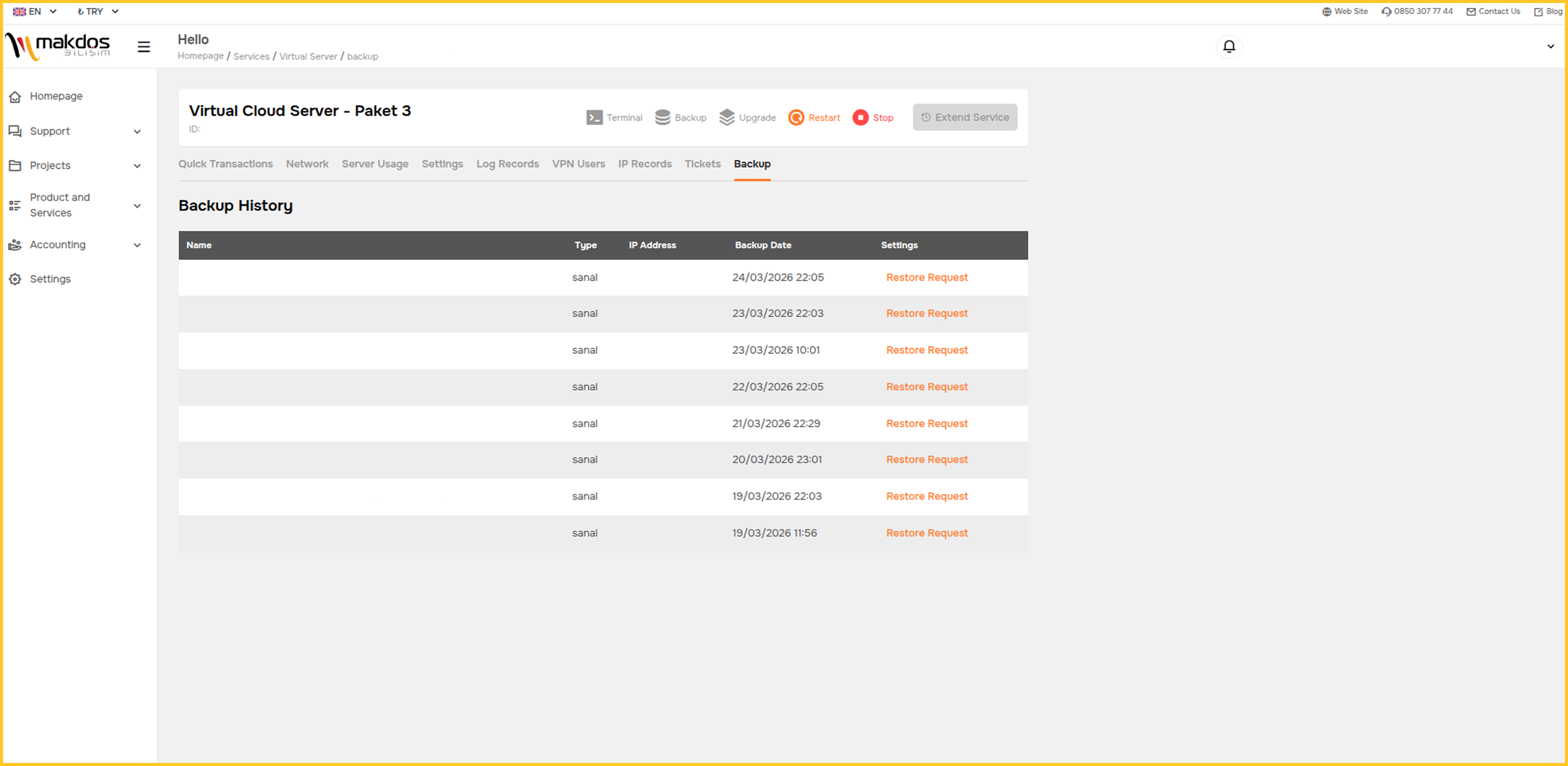
No infrastructure strategy is complete without recovery planning. Hardware failure, accidental deletion, bad deployments, or human error can interrupt business much faster than most teams expect. A virtual server does not remove those risks, but it usually makes recovery faster and more structured.
Virtual environments are easier to snapshot, copy, restore, and move than traditional single-machine setups. That makes recovery planning more practical. For a small business, that speed matters. The difference between a fast restore and a prolonged outage can affect revenue, customer trust, and internal productivity.
This is also where business continuity becomes tangible. It is not only about avoiding downtime. It is about making sure the business can keep serving customers when something unexpected happens. It also means keeping access to core systems available during that time.
7. A Clear Upgrade Path as the Business Grows
A good infrastructure choice should solve today’s problem without blocking tomorrow’s options. That is another reason a virtual server works well for growing companies. It can support a business in its early stage and continue to serve during the expansion of an online store. It can also handle more complex multi-service environments as teams become more mature.
Over time, some companies may outgrow virtualization for certain workloads. When that happens, they may move to a physical server or a dedicated server model. The advantage of starting with a virtual server is that it creates a clear, lower-risk path toward those next decisions.
Which Teams Benefit Most from a Virtual Server?
SMEs and Growing Local Businesses
For SMEs, the challenge is balance. They need more reliability than shared hosting can provide. At the same time, they do not want the cost and complexity of owning a physical server before the business truly needs it. A virtual server offers that middle ground.
E-Commerce Companies
E-commerce teams need speed, uptime, and isolation. Product pages, carts, search, checkout flows, and inventory-related processes all depend on stable infrastructure. A virtual server gives these businesses a more reliable environment for campaigns, seasonal peaks, and expansion into new channels.
For growing online stores, it can also make sense to separate website infrastructure from communication systems. For example, you may run your store on a virtual server. At the same time, you can use Makdos Business E-Mail for branded business communication and mailbox security.
Agencies and Multi-Brand Operations
Agencies often need to host multiple client environments, test deployments safely, and keep projects isolated from each other. A virtual server model fits that requirement well. It reduces the chance that a problem in one account will affect every other project under management.
Enterprise Brands and Internal Teams
Larger brands may also use a virtual server for internal dashboards, staging systems, or regional applications. It is also a strong fit for campaign microsites and customer-facing services. These often need more control than standard hosting can provide.
How Makdos Helps You Build the Right Virtual Server Setup
Choosing the right server model is only part of the decision. The provider matters just as much. Makdos positions its Virtual Server Rental service around flexible resource management, operating system options, user-friendly administration, and infrastructure designed for business continuity.
Its English service pages highlight Windows and Linux options, Tier III data center standards, and optional DDoS protection. They also present a management panel designed to simplify day-to-day use.
That matters because infrastructure decisions are rarely isolated. A business may need the server itself, but it may also need security services, backup planning, and operational support.
Makdos connects these pieces through related services such as Firewall and Security. It also supports them with content like What Is a Virtual Server? Advantages and Use Cases.
Makdos can also be a practical fit for businesses comparing a virtual server with the next infrastructure step. If your workloads are moving toward stricter isolation, the comparison with a dedicated server becomes more relevant. The same is true when resource demands become heavier.
For many organizations, though, the right move is not to jump straight to the most complex option. It is to choose the model that fits current usage, can scale cleanly, and remains manageable for the team operating it.
Conclusion: Build a More Reliable Infrastructure Without Overbuying
A virtual server helps growing businesses move beyond the limits of shared hosting. It does this without forcing them to take on the full cost and complexity of owning a physical server too early. It improves performance and strengthens isolation.
It also supports easier scaling and creates a better foundation for recovery, security, and daily control. For SMEs, e-commerce companies, agencies, and enterprise teams, that makes it a highly practical upgrade. It offers a stronger infrastructure step without unnecessary complexity.
If your hosting setup is becoming a limit, it is time for the next step. A virtual server may be the upgrade your business now needs.
Explore Makdos Virtual Servers for scalable infrastructure, security, and support that fit your real growth path.