
Buy only one of the two and your site will not work. Buy the wrong combination and you may pay for server space you never use, or own an address that points nowhere. This guide breaks down what a domain does, what hosting does, and how the two connect once you own both.
This decision matters most the first time you build a website. Small business owners, freelancers, and online store owners need a domain name and web hosting plans before going live. By the end of this guide, you will know exactly what to buy, in what order, and how to link the two together.
What Is a Domain Name?
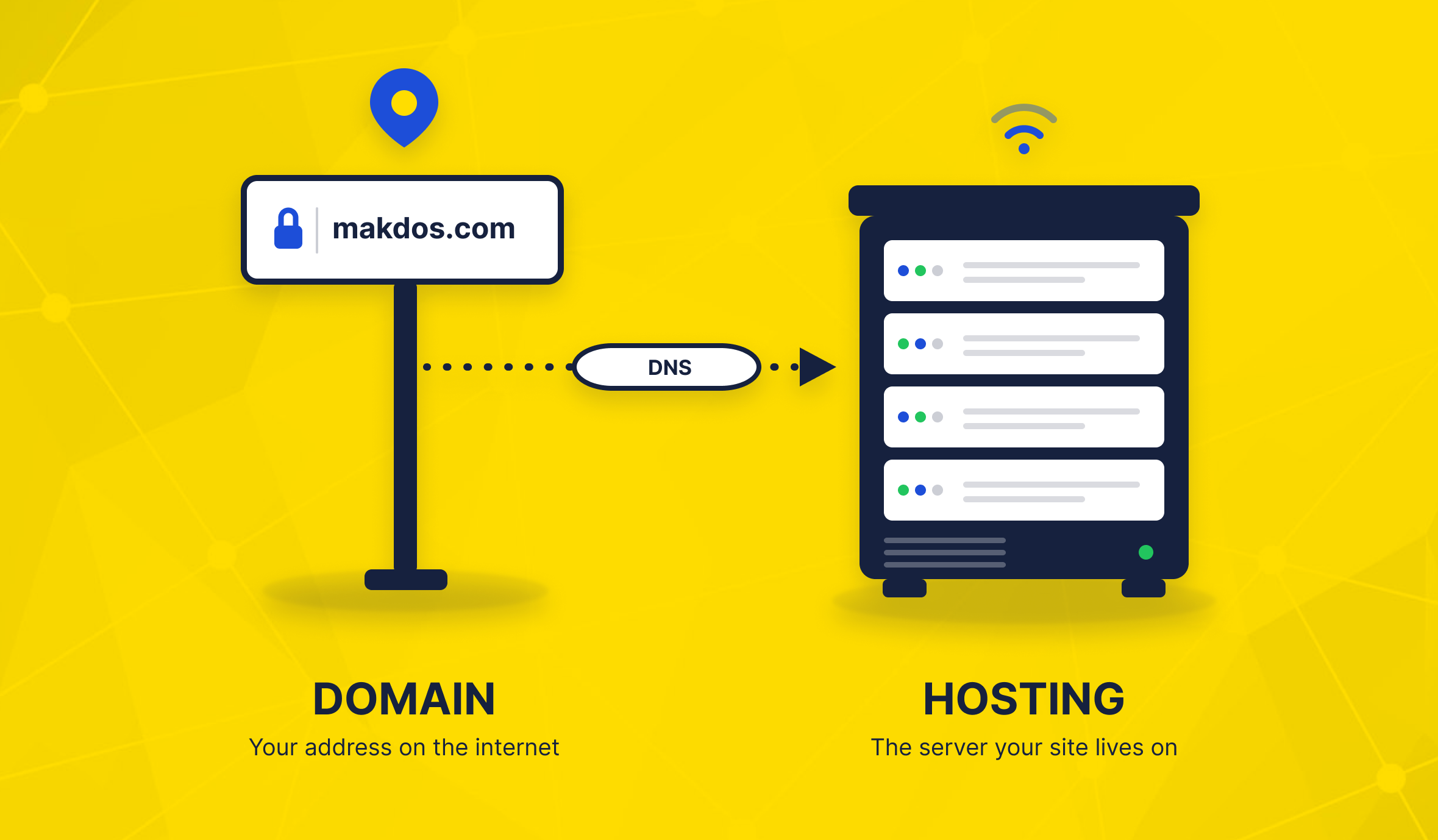
A domain name is the address people type into a browser to reach your website, such as makdos.com. It replaces a long string of numbers, called an IP address, with something short and easy to remember.
Domain structure: name and extension
A domain has two parts: the name itself (makdos) and the extension, also called a top-level domain or TLD (.com, .net, .org, or a country code such as .com.tr).
The extension often signals what kind of site it is or where the business operates. A local extension like .com.tr can build extra trust with customers searching for a Turkish business.
Some extensions carry a higher price because they are short, common words, or once belonged to another site. Others exist to serve a specific purpose: .org for non-profits, .net for network services, and dozens of country codes for local businesses.
None of this is fixed by law, though, so a bakery can register a .tech domain if the name is available and it likes the sound of it.
Registering and renewing a domain
You register a domain through a registrar, and you rent it rather than buy it outright. Registration runs for a fixed period, usually one year, and you must renew it before it expires. Miss a renewal and someone else can register the same name once your grace period ends. That is the single most common way a business loses a domain it has used for years.
What Is Web Hosting?
Web hosting is the service that stores your website's files: code, images, databases. It also holds everything a visitor sees when they land on your site. A hosting provider runs the physical servers that keep those files online and reachable around the clock.
Where your website actually lives
Think of hosting as the land and the building, while the domain is just the sign out front. Without hosting, your domain has nowhere to point. Without a domain, your hosting account has no easy address, only a hard-to-remember IP number. You can browse a small selection of Compare web hosting plans before you buy. to see what a typical package includes.
Common types of hosting
Most providers offer a few tiers, and each one fits a different stage of growth:
- Shared (cPanel) hosting. One server splits its resources across many websites. It is the cheapest option and a solid starting point for a first site or a small online shop. Most day-to-day site management, from installing an app to checking disk use, happens through a control panel like cPanel.
- VPS or virtual server. You share a physical machine, but the provider walls off and reserves your slice, so performance stays predictable. It suits a site that has outgrown shared hosting but does not yet need a full machine.
- Cloud server. Resources scale up or down on demand, which suits traffic that spikes without warning, such as a sale day on an online shop.
- Dedicated server. You get an entire physical machine, ideal for large sites or heavy workloads needing full hardware control.
Most new sites start on shared hosting and move up only once traffic or software needs outgrow it. There is rarely a reason to start on a dedicated server on day one.
Domain vs Hosting: The Key Differences
Once you see both terms side by side, the confusion usually clears up fast.
Domain vs Hosting at a Glance
| Point of comparison | Domain Name | Web Hosting |
|---|---|---|
| What it is | Your website's address | The storage space and server power behind that address |
| What you are buying | The right to use a specific name for a set period | Server resources: disk space, memory, processing power |
| Where it lives | A registry record kept by your domain registrar | A physical or virtual server in a data center |
| Billing cycle | Renewed once a year, in most cases | Billed monthly or yearly, based on your plan |
| Simple analogy | The street address on a building | The building itself, and everything inside it |
A domain without hosting is an address with nothing behind it. Hosting without a domain is a building nobody can find. A working website needs both, at the same time.
How a Domain and Hosting Work Together
The link between the two runs through the Domain Name System, or DNS. DNS acts as the internet's phone book: it takes the name a visitor types and looks up the server address it should connect to.
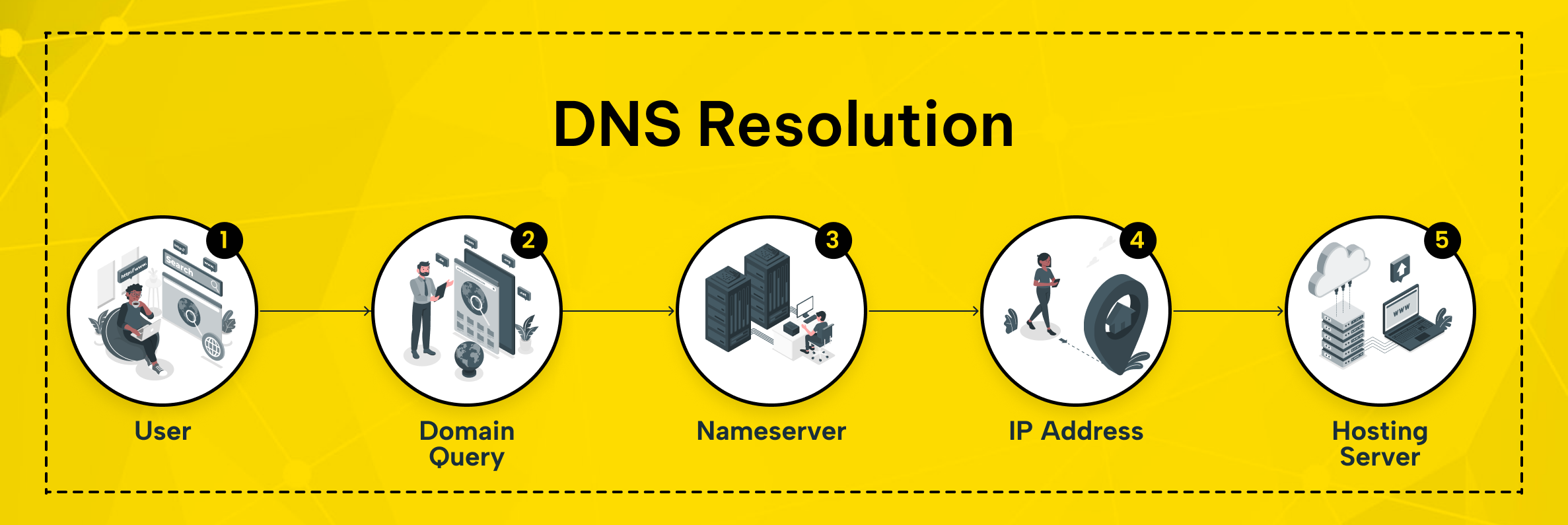
Setting up a new site usually follows four steps:
- Register your domain name through a registrar of your choice.
- Choose a hosting plan and get the nameserver addresses your host assigns you.
- Point your domain to your host by updating its nameservers to the ones your hosting provider gave you.
- Wait for propagation. The change usually takes effect within a few hours. In some cases it needs 24 to 48 hours to reach every part of the internet.
Register your domain and buy hosting from the same company. The company often handles this last step for you automatically. Buying them from two providers means updating nameservers by hand, a five-minute task once you know where to look.
Once you update the nameservers, there is nothing left to do but wait. Free online propagation checkers show which regions have picked up the change. So you do not have to keep hitting refresh and guess why the new site is not up yet.
During this window, the old and new versions of a site can briefly appear side by side. Different visitors may see either version, depending on which DNS records their internet provider has cached.
Starting Your First Website: Where Small Business Owners Should Begin
If this is your first website, keep the setup simple. Buying your domain and hosting from one provider removes the nameserver step. The two are already linked behind the scenes. That saves time and removes one common source of setup errors.
Already own a domain somewhere else? You do not need to move it. You only need to update its nameservers to point at your new host, and the domain keeps working exactly as before. Whichever path you take, check for free SSL and enough disk space; undersized plans are the most common early upgrade.
Same provider, or two separate ones?
Both paths work, so the right choice comes down to how much you want to manage yourself.
- One provider for both. Fewer accounts to log into, one invoice, and nameserver setup handled for you. This is the simpler route for a first website.
- Separate registrar and host. Some businesses prefer to keep a domain with one company for the long term, even while testing different hosts over the years. This adds one manual DNS step, but nothing changes about how the website itself works.
Neither option locks you in forever. A domain can move to a new registrar, and a website can move to a new host, without customers ever noticing the change.
Common Mistakes to Avoid When Setting Up Domain and Hosting
A few small errors cause most of the support tickets in this area:
- Letting a domain expire. Set a renewal reminder well before the expiry date. If a domain lapses, someone else can pick it up, sometimes within days of the grace period ending.
- Mismatched nameservers. Pointing a domain at the wrong nameservers is the most common reason a new site fails to load after purchase. Double-check the nameserver values your host gave you before you save any changes.
- Skipping SSL. A site without SSL shows a not-secure warning, drives visitors away, and can hurt search rankings.
- Buying too little hosting. An undersized plan slows a growing site down, and upgrading later takes more work than choosing the right size now.
- Forgetting who owns what. When a freelancer or agency builds a site, use the business account for the domain, not a personal one. Losing access to that account later can mean losing the domain too.
How Makdos Brings Domain and Hosting Together
Makdos manages domain and hosting together, so you don't juggle two accounts. Our domain name search tool checks availability across a wide range of extensions, including .com, .net, and .com.tr, in seconds.
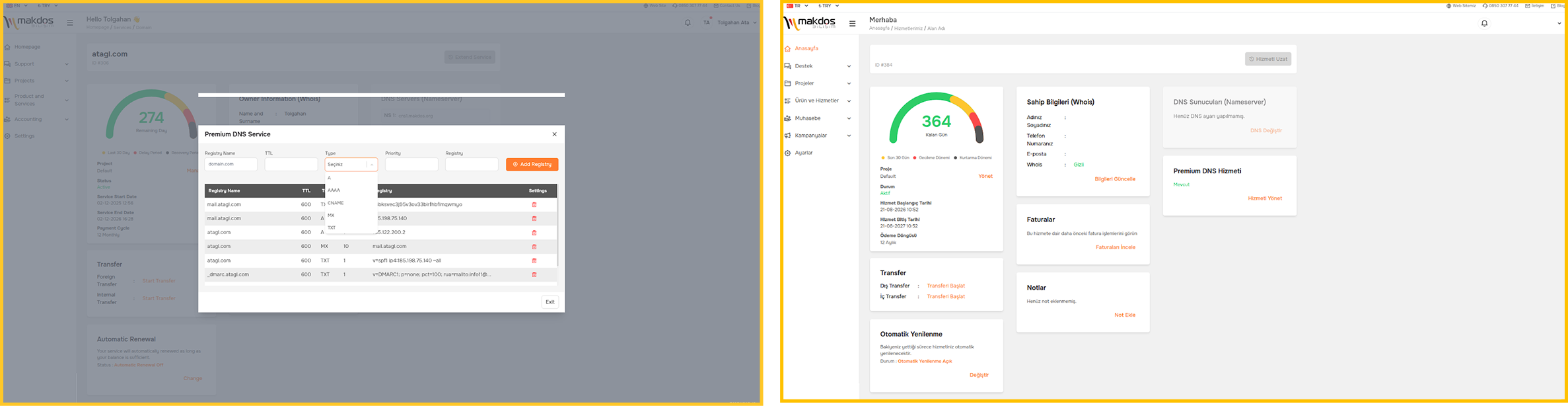
After you set your domain, our system takes over. cPanel hosting plans include free SSL, one-click app installs with Softaculous, and weekly backups. You manage all of it from one control panel. Makdos links your domain and hosting automatically. Your site goes live without manual DNS work.
Makdos builds security in rather than selling it as an afterthought. Every plan include free SSL certificates. Your site gets the browser padlock. Visitor data stays encrypted from day one.
Behind all of it sits a 99.8% uptime commitment and Turkish-language support, 24 hours a day. A nameserver question or a stuck propagation never has to wait until Monday morning.
Conclusion: Get Both Right From the Start
A domain and hosting solve two different problems, and a working website needs both to solve them at the same time. The essentials:
- A domain is your website's address, rented on a yearly basis from a registrar.
- Hosting is the server space that stores your site's files and keeps them online.
- DNS and nameservers are the bridge that connects the two.
- Buying both from one provider removes the setup step most first-time site owners get wrong.
So what should you do next? If you are starting from zero, search for your domain name first, then pick a hosting plan sized for what you plan to build. If you already own a domain elsewhere, you only need to repoint its nameservers, nothing more drastic than that.
Ready to get both sorted in one place? Check domain availability and browse hosting plans with Makdos, and have your site live the same day.