

The article also compares dedicated hosting with shared hosting and virtual private servers. It then lays out what to check before you sign a contract.
This guide helps e-commerce operators, SaaS teams, and agencies managing multiple client sites. It also helps growing companies that wonder whether their current hosting can keep up.
Are you leaving shared hosting for the first time? Or replacing an aging in-house server? The same seven factors decide if the switch pays off.
What Is a Dedicated Server, and Why Do Businesses Choose One?
A dedicated server is a physical machine reserved for a single customer. Every resource in it belongs to you alone: the processor, memory, storage, and network port. Nothing is split with a hypervisor or another tenant. This differs from shared hosting or virtual instances on a common host.
A dedicated server offers the same hardware you would buy for your own server room. However, it does not require the capital outlay or the facility needed to keep it running.
That exclusivity makes dedicated hardware the default choice for high-traffic e-commerce platforms and busy news sites. On those platforms, a single slow afternoon can cost real revenue. Database-heavy applications behave better on unshared cores too. This is doubly true for analytics workloads that read and write constantly.
Video streaming and live broadcast platforms lean on the same guaranteed bandwidth. Machine learning workloads also need a GPU card physically installed in the chassis. No shared platform lets you bolt on custom hardware, so those have no other realistic option.
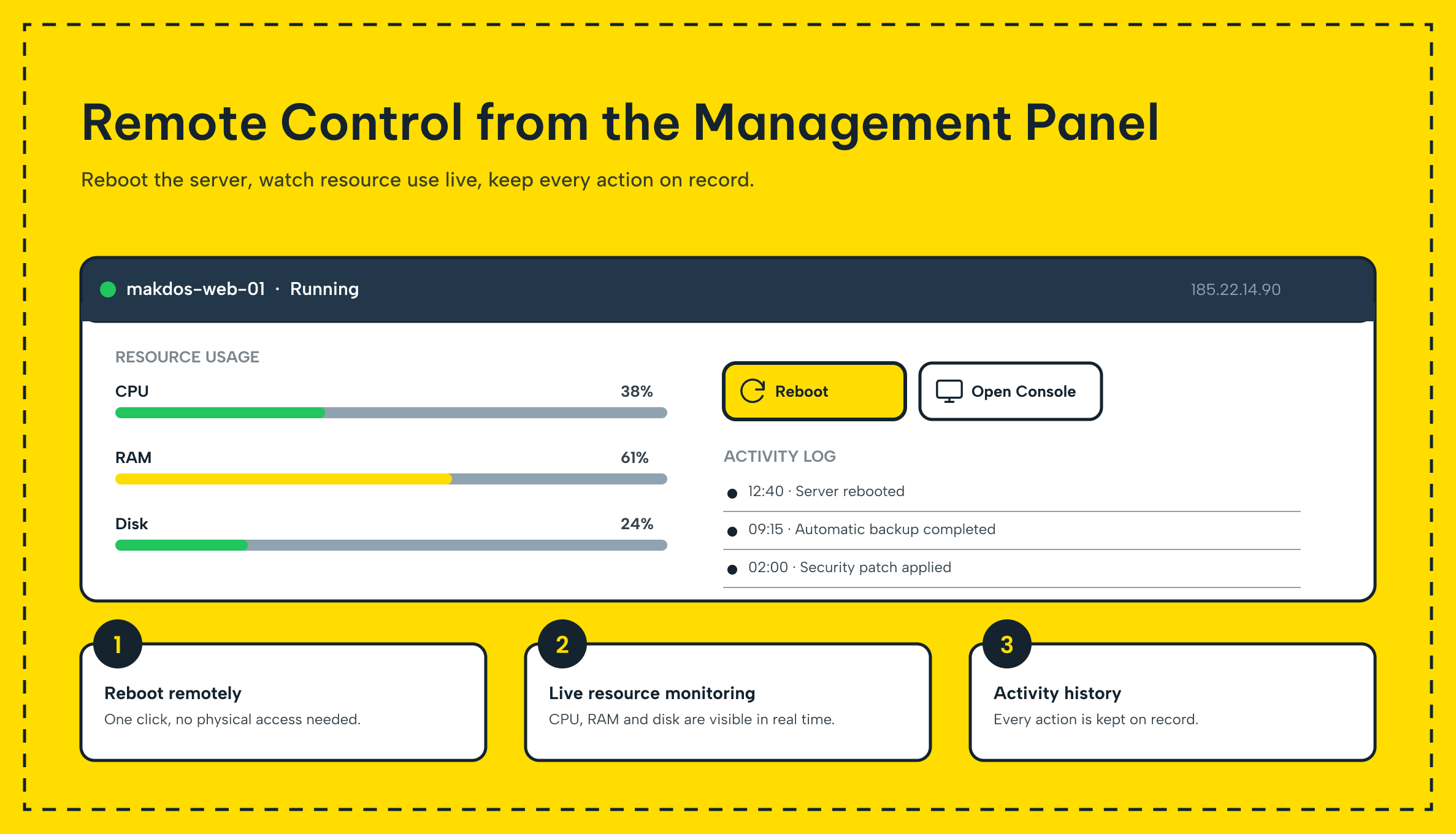
Remote, out-of-band access is part of the same picture. Tools such as IPKVM, iDRAC, or iLO provide console-level access from anywhere, down to the BIOS. Server administration no longer depends on physically standing in the data center.
No other workload sits on the same box. That isolation limits exposure to a noisy or compromised neighbor, which matters for data privacy and raw performance.
7 Advantages of Dedicated Server Hosting for Businesses
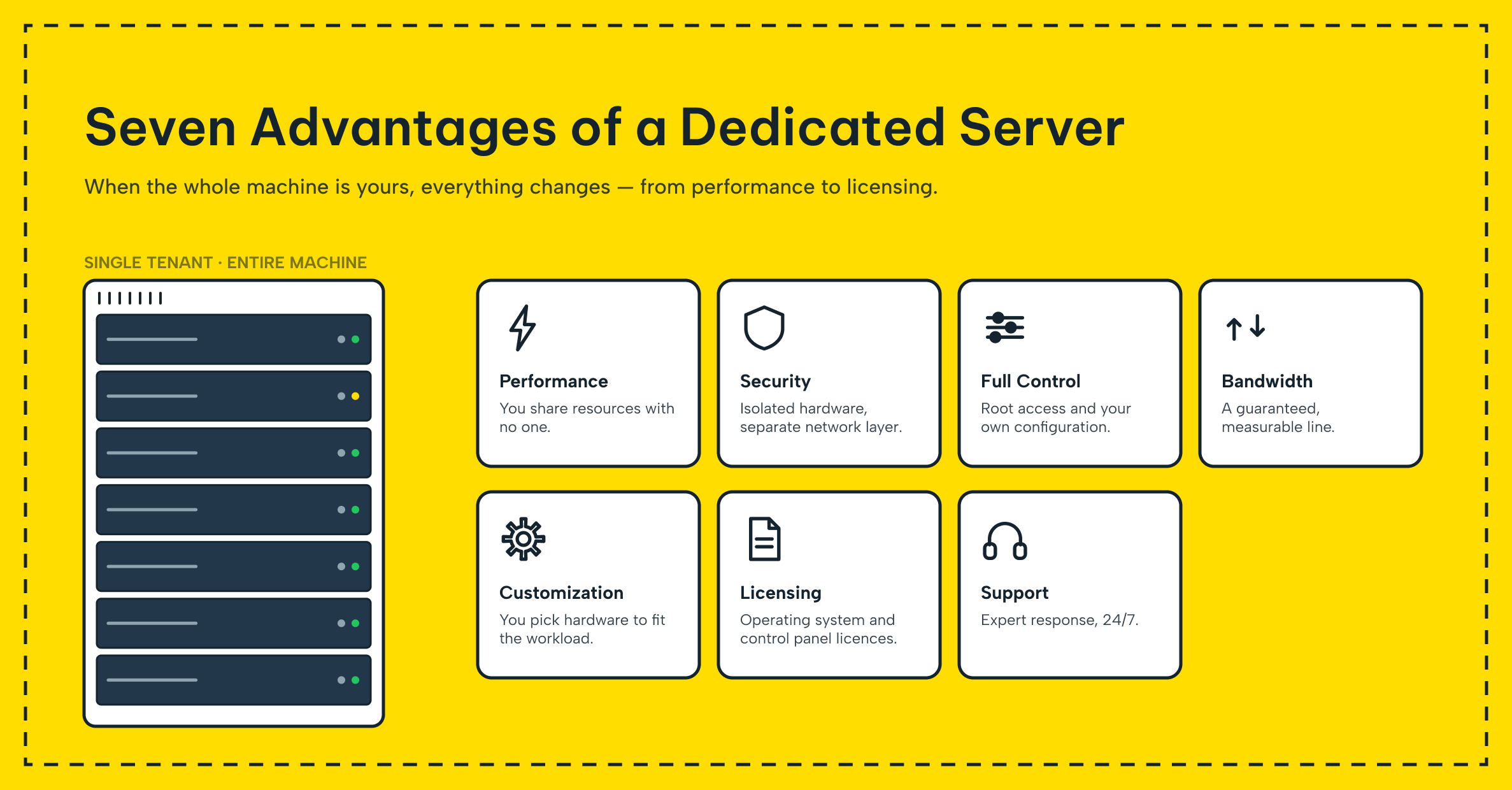
Dedicated server hosting earns its higher price tag in seven concrete ways. Their importance varies by business, yet together they explain a trend. Growing companies eventually move off shared infrastructure.
1. Guaranteed Performance and Computing Power
You own all the processor cycles, memory, and disk I/O. Performance does not dip when another account runs a batch job on the host.
That guarantee matters most during a traffic spike, such as a flash sale or a viral post. A seasonal peak draws on the same computing power that sits idle the rest of the month.
The server responds at full capacity instead of throttling under contention it cannot control. The result is consistently high performance rather than a number that only holds up on a quiet Tuesday.
2. Stronger Security and Data Privacy
Nobody else's account touches your machine, which removes an entire category of risk. A compromised neighbor cannot pivot laterally into your data the way it sometimes can in a multi-tenant environment.
You set every security control yourself, from firewall rules to patch schedules. This keeps performance and security decisions in your hands, not dictated by a shared platform's lowest common denominator. Sensitive customer records, payment data and internal systems sit on hardware that only your team can reach.
3. Full Control Over the Server and Its Configuration
Root or administrator access gives you full control over the server itself. You choose the processor, RAM, storage type, and RAID layout to match the workload instead of picking from a fixed menu.
Reinstall the operating system, add a GPU or extra drive bays, or run software a shared plan would never allow. That level of access is exactly what a compliance-bound application or a specialized workload needs.
4. High Bandwidth Without Contention
A dedicated server typically ships with 1 Gbps, 10 Gbps or even 20 Gbps of network capacity. Because nobody else’s traffic rides the same port, that bandwidth behaves like a private network connection. It serves your application alone; no other workload uses it.
Other customers’ spikes never eat into your throughput. This matters for anything that streams data without interruption. Video delivery, large file transfers, or an API serving thousands of requests a minute depend on it.
Ask your provider whether the advertised bandwidth is guaranteed or simply the physical port speed shared across dozens of machines. A 10 Gbps port split among fifty tenants is not the same commitment as 10 Gbps reserved for you.
5. Flexible Server Customization
A dedicated server also supports server customization well beyond swapping hardware. Run a hypervisor to divide the machine into several VMs, or use Docker for apps.
Or pick a control panel your team is familiar with. Nothing about the base configuration limits how you organize workloads on top of it. That freedom is exactly what growing teams need as one application becomes several.
6. Choice of Operating Systems and Licensing
You are free to choose among the major operating systems, including Windows Server, Linux distributions, or a hypervisor. This is better than working within a provider's default image.
Bring your own license (BYOL) if you already hold one, or choose an open source distribution. That keeps licensing cost effective when the workload lacks Windows-specific needs. Either path avoids paying for software you do not need.
7. Dedicated Technical Support and Uptime
A dedicated server is still a physical machine, so hardware eventually fails. That includes a drive, a power supply, or a memory module.
A well-run provider offers round-the-clock support and an uptime guarantee around 99.8 percent. Then they replace the failed part and keep the platform running. This avoids leaving the fix to you. That commitment is what turns a piece of hardware into a hosting service you can actually plan a business around.
Dedicated Server vs. Shared Hosting vs. VPS: Matching the Workload
The seven advantages above only matter if a dedicated server is actually the right fit for your workload. The table below lines it up against the two most common alternatives.
Dedicated Server vs. Shared Hosting vs. VPS: Matching the Workload
| Criterion | Shared Hosting | VPS (Virtual Server) | Dedicated Server |
|---|---|---|---|
| Resource allocation | Split across many accounts on one host | A fixed slice of a shared host | Entire machine, unshared |
| Performance consistency | Lowest, affected by other tenants | Good within its allotted resources | Highest, no neighbors |
| Hardware-level access | None | None | Full (BIOS, RAID, remote console) |
| Customization | Minimal, provider-managed | Moderate, root access within the VM | Complete, including physical components |
| Typical cost | Lowest | Mid-range | Highest, but predictable |
| Best fit | Small brochure sites, low-traffic blogs | Growing sites, test environments | Databases, high-traffic platforms, compliance workloads |
Choose shared hosting when cost is the only constraint and traffic is light. Move to a VPS once you need more control than a shared plan allows. Pick a dedicated server for raw, unshared computing power. It also fits hardware-level needs no virtual instance can satisfy.
One more decision sits above this table: renting versus owning the hardware. Renting a dedicated server means the provider supplies the machine as part of the service. You pay monthly and never handle a screwdriver.
Buying your own hardware and placing it in a provider's facility is a different arrangement called co-location, where you own the box but still get the power, cooling and physical security of a professional site. Most growing businesses start by renting, since it avoids the upfront hardware cost entirely. They only move to co-location once they already own equipment worth protecting.
What to Check Before You Rent a Dedicated Server
Smaller teams rarely have a dedicated systems engineer on staff. The real risk is not technical complexity, but unclear responsibility when something goes wrong. Work through this list before a dedicated server carries production traffic:
- Confirm technical compatibility. Before you commit, check that your operating system, database licenses and existing network setup work on the new hardware.
- Read the SLA line by line. A stated response time for hardware failures gives an uptime figure like 99.8 percent its real meaning. A clear refund or credit policy matters if the provider misses it.
- Verify out-of-band access works. Test IPKVM or iDRAC while the server is healthy, not the day the operating system fails to boot.
- Ask who owns energy and cooling. Power, cooling and physical facility upkeep should sit with the provider; get that in writing rather than assuming it.
- Plan monitoring before go-live. Decide which tool will alert you before a resource limit becomes an outage. That tool could be the provider's panel or something like Zabbix or Grafana.
- Map your scaling path. Know in advance whether adding RAM or a second server means a same-day change or a multi-week procurement cycle.
- Agree on the support boundary. Define which failures the provider fixes and which stay your responsibility. This matters especially if you plan to run your own virtualization layer on top.
Ask for the provider's average hardware replacement time in writing, not just the SLA percentage. A number like "4 hours for a failed drive" tells you more about real-world reliability. It beats an uptime figure alone.
How Makdos Delivers Dedicated Server Hosting
Makdos runs its dedicated server hosting on infrastructure it operates itself rather than reselling someone else's capacity. The company spent 10 years building that infrastructure. A team of more than 20 specialists now runs it. In-house AI tooling increasingly supports day-to-day operations alongside the human team.
Makdos owns a dedicated facility outright in Bursa, and also has cabinet-based sites in Istanbul and Ankara. These three data centers together carry more than 30 cabinets with at least a 20 Gbps uplink per site. This gives high traffic applications the unshared network capacity the advantages above describe.
Every plan includes full server control with root or administrator access. At order time you pick Windows Server, major Linux distributions, or a hypervisor. The provider replaces failed components for free; you pay nothing extra. Remote console access through IPKVM or iDRAC is available from day one, so out-of-band recovery does not wait on a data center visit, and DDoS protection plus a configurable firewall and security service cover the network layer without a separate setup project.
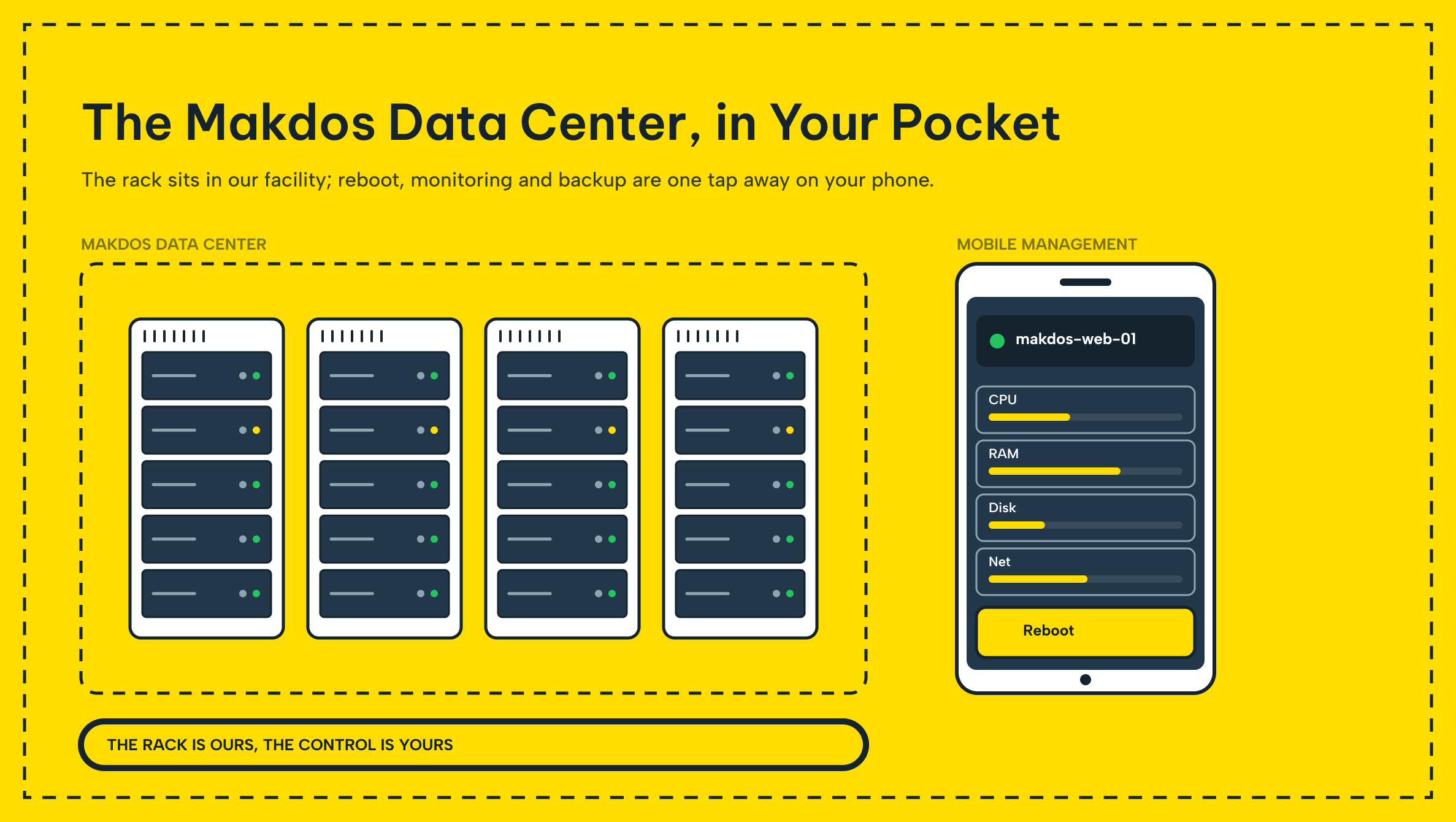
Day-to-day server management runs through Makdos's own control panel and mobile app. These were among the first offered by a hosting provider in Turkiye. An administrator can restart a machine, monitor resource usage, or trigger an OS reinstall without opening a support ticket.
Full configuration details and current dedicated server hosting plans are available for teams ready to size a machine to their workload. If a full machine is more than the workload needs, virtual servers run on the same Tier III infrastructure and offer a lighter starting point that can be moved up to dedicated hardware later without a platform change.
Conclusion: Choosing the Right Path to a Dedicated Server
None of the seven advantages above matter in isolation. Guaranteed performance and full control over the server only pay off if security, bandwidth, and support hold up. The checklist above exists to catch the gap between an SLA on paper and reality. That gap shows up the day a drive fails.
Weigh them together, match the result against shared hosting and VPS options, and you will land on the setup that fits your workload. You will not have to migrate away within a year.
If you are ready to move forward, talk to the Makdos team about a dedicated server configuration sized for your workload, or read our step-by-step setup guide for what happens after the hardware arrives. You can also browse the blog for more on servers, hosting and IT infrastructure.