

Data is the asset most businesses can least afford to lose, yet few know exactly what would happen if a server went down tonight. That risk is the same whether you run one virtual server or a dozen.
Hardware breaks. People make mistakes. Attackers target businesses of every size, not just large enterprises. None of these events announce themselves in advance.
That uncertainty is exactly why backup and disaster recovery planning matters so much. You cannot predict the next outage, but you can decide in advance how your business responds to one. On a virtual server, that means treating data backup and recovery as core infrastructure decisions. It should not be an afterthought that you configure once and forget.
This guide walks through what backup and disaster recovery mean on a virtual server, also called a VDS. It also explains the day-to-day process, mistakes that break recovery plans, and a practical framework for building one. Along the way, we will show where Makdos fits into that picture.
What Backup and Disaster Recovery Actually Mean
Backup and disaster recovery sound like one idea, but they solve two different problems.
A backup is a copy of your data, stored somewhere separate from the original, taken on a regular schedule. If ransomware deletes, corrupts, or encrypts a file, the backup gives you a clean copy to restore.
A disaster recovery plan, often shortened to DR or DRP, is broader. It defines what your team actually does after a fire, flood, cyberattack, or extended outage. It covers which systems come back first, who makes the call, and how fast operations return to normal.
A backup is one ingredient in that plan, not the whole plan. A DR plan, in turn, is just one piece of business continuity planning (BCP). That wider process keeps the whole company running, not only the servers, during a disruption.
Your resources and data sit in an isolated environment away from other tenants. That is why virtual servers give you more control than shared hosting. That control is valuable, but it does not remove the need for a plan.
Isolation protects you from someone else's mistake. It does not protect you from your own hardware failure or configuration error. It also does not stop an attacker who targets your server directly.
How Backup and Recovery Work on a Virtual Server
Most virtual server plans include automated backups, and you choose the schedule, often daily or weekly. Once you configure it, that schedule runs in the background without requiring manual work.
Snapshots add a second layer. A snapshot captures the exact state of your server at one moment. This makes it useful right before a risky change, such as a major update or configuration edit. If the change breaks something, you roll back to the snapshot in minutes instead of rebuilding from scratch.
Restoring a backup or snapshot on virtual servers is fast because the data already lives on the infrastructure. Moving a backup to a new host server takes minutes rather than hours. Spinning up a snapshot as a fresh virtual machine takes minutes, not hours like a physical rebuild. That speed gap is one strong argument for running production workloads on virtual infrastructure from the start.
Two backup types cover most needs. A full backup copies the entire server, including the operating system itself. It is thorough, but it runs slower and uses more storage space.
An incremental backup copies only what changed since the last backup, saving both backup storage space and transfer time. Most production setups combine a full backup on a set interval with incrementals filling the gaps in between.
Real-World Scenarios Where a Recovery Plan Pays Off
A disaster recovery plan is not a theoretical document. It shows its value in specific, common situations.
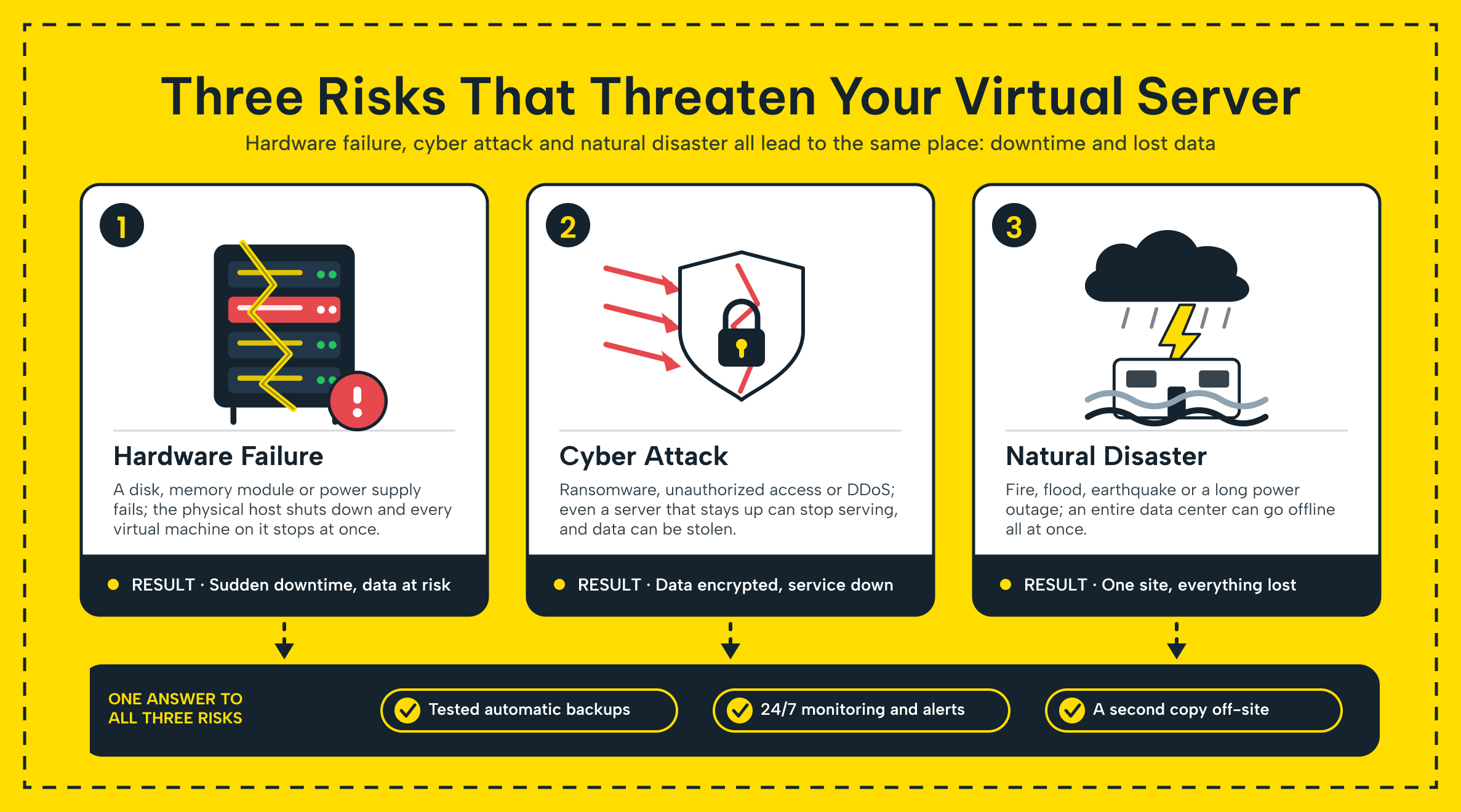
Ransomware is the clearest case. An encrypted production server leaves a clean, isolated backup as the only way back without paying a ransom. Human error is just as common as these failures, though less dramatic.
Someone drops a database table, deletes the wrong directory, or pushes a bad configuration change. A recent backup turns that mistake into a five-minute fix instead of a crisis.
Hardware failure remains a real risk even on well-maintained infrastructure. A failed disk, a host-level fault, or a power outage can take a virtual server offline without warning. A fire or flood at a single data center can knock out anything stored only there. Natural disasters are rare, but this is why off-site storage matters.
Across e-commerce stores, agencies with client sites, or enterprises with internal tools, the pattern is the same. Businesses that recover fastest had a plan before the incident; they do not improvise during it.
Benefits, Limits and Alternatives
A solid virtual server backup and disaster recovery plan has direct benefits: less downtime and less data loss. It also gives a faster path back to normal operations after almost any type of incident. Automated backups also remove a lot of manual work and human error, because the schedule runs on its own.
The limits are worth naming honestly. Protecting only data captured before the incident, a backup cannot cover newer changes. Users can still lose anything created or changed since the last one. This is exactly what an RPO target manages, and we cover it in the mistakes section below.
Backup storage cost grows with backup frequency and retention length, so every business needs to balance protection against budget.
Businesses that cannot tolerate any data loss use continuous data protection or real-time replication to a second server. Managed DRaaS mirrors changes to a cloud-based environment as they happen, rather than on a fixed schedule. This is more complex to set up and more expensive to run, so it fits mission-critical systems rather than every workload by default.
Common Mistakes That Undermine a Backup Plan
Most backup failures do not come from missing technology. They come from a handful of avoidable gaps.
The biggest one is never testing the backup and restore process end to end. A backup you have never restored is one you cannot actually trust. You should not discover a problem for the first time during a real outage.
A close second mistake is keeping every copy in one location, on the same server it protects. If the only backup sits on that server, a single failure destroys both the original and the backup.
Two more mistakes round out the list: skipping documentation and never defining clear recovery targets. Without documentation, nobody knows who does what when an incident happens.
RTO vs. RPO: What Each One Controls in a Recovery Plan
| Metric | What it measures | Why it matters for a virtual server |
|---|---|---|
| RTO (Recovery Time Objective) | How long it takes to bring a service back online | Sets how much downtime your business can actually tolerate |
| RPO (Recovery Point Objective) | How much recent data you can afford to lose | Sets how often you need to back up or take a snapshot |
Plans built around RTO alone restore service quickly but still lose an hour of recent orders or edits. Most virtual server setups need both numbers defined and written down before an incident happens, not during one.
Building a Disaster Recovery Plan in Six Steps
A written plan turns a vague intention into something your team can actually follow under pressure. Here is a practical framework for building a disaster recovery strategy in a virtual server environment.
- List your critical systems and rank them. Identify which servers, applications, and data your business cannot run without, and put them in priority order. A database server that processes orders usually outranks an internal reporting tool.
- Set your backup strategy and store a copy off-site. Apply the 3-2-1 rule: keep three copies of your data, on two different types of storage, with one copy off-site. A single local backup is not enough protection on its own.
- Assign roles before an incident happens. Decide who restores which system, who talks to customers, and who makes the call to activate the plan. Confusion during an outage costs more time than almost anything else.
- Define your communication plan. Plan now how to alert staff and customers when systems fail, and how to update them during recovery.
- Write the plan down and keep it accessible. Store it somewhere your team can reach even if primary systems are offline. Your business cannot rely on a plan only in someone's head.
- Test and update the plan regularly. Run a restore drill at least twice a year, and revise the plan whenever your infrastructure changes. An untested plan is a guess, not a safeguard.
For SMEs and Growing Businesses: Where to Start
A small or mid-sized business does not need an enterprise-grade disaster recovery program on day one. It needs the basics done correctly, in the right order.
Start by confirming that you have actually switched on the automated backup for your server. It should not just be an available option that you never even turned on. Most virtual server packages at this stage cover routine needs well once backup is enabled: a scheduled backup, occasional manual snapshots before major changes, and one off-site copy.
As traffic, transaction volume, or compliance requirements grow, the recovery targets usually get tighter. That is often the point where a business moves to a larger virtual server package.
Once it needs fully guaranteed resources, it moves to a dedicated setup dedicated server instead. Either way, the starting checklist stays the same: know what data matters most. Know how often it changes, and make sure a copy exists somewhere other than the server itself.
How Makdos Supports Backup and Recovery on Every Virtual Server
Every virtual server at Makdos supports backup and recovery from day one, without requiring a separate product or a manual setup process from scratch.
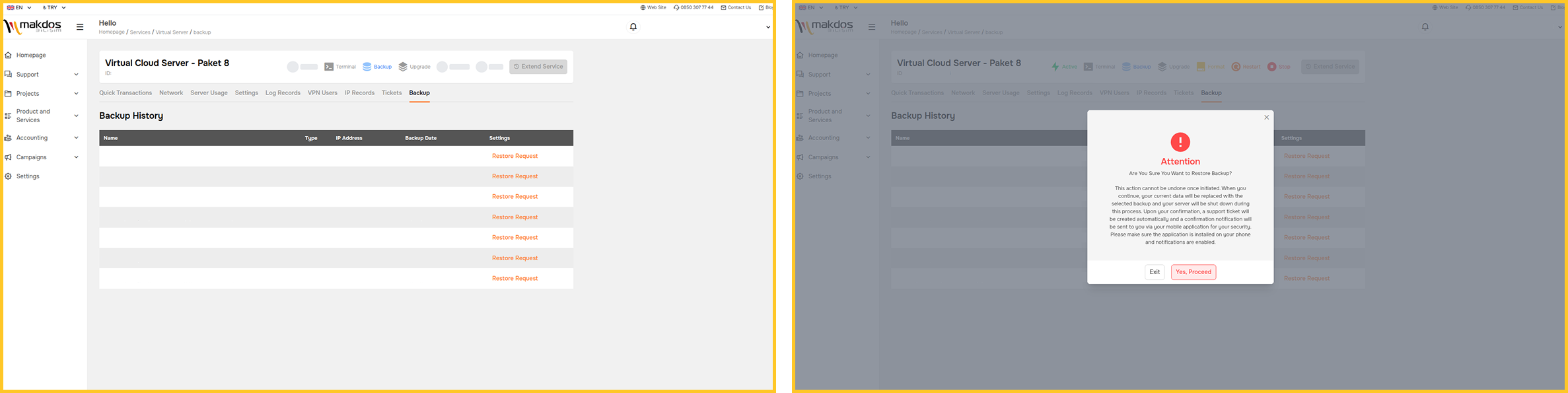
Backup is off by default; you turn it on when you need it. From that point, the daily or weekly schedule runs on its own without extra manual work. You can also take a manual snapshot before any risky change, then restore it in minutes if something goes wrong.
Backups for off-site storage can move into our cloud server infrastructure as a managed cloud backup. This keeps a copy outside the original server entirely, matching the separation the 3-2-1 rule calls for.
That off-site option matters more than it might first appear. Makdos runs three data centers, including a private facility in Bursa with its own dedicated space. It also has additional capacity in Istanbul and
Ankara, each site running at least 20 Gbps of uplink. Store your backups in a different physical location than your production server. This way, a single-site incident does not grow into a company-wide problem.
Restoring after a real incident is not something you have to handle alone. Our support team handles recovery when something goes wrong, from a file restore to restoring a full server. After a hardware failure, your team is not troubleshooting a crisis and a runbook at the same time.
You get backup support you can turn on in minutes plus hands-on recovery help. That combination makes it a complete disaster recovery solution, not a checkbox feature.
Conclusion: Build the Plan Before You Need It
Backup and disaster recovery are not optional extras for a virtual server. They turn any failure, from hardware to human error to attacks, into a manageable problem, not a crisis.
The core moves are straightforward: back up automatically, keep a copy off-site, and define your RTO and RPO. Then write the plan down and test it before you actually need it.
If you are not sure your current setup covers all of that, now is a better time to check than during an outage. Talk to the Makdos team about the backup and disaster recovery options available for your virtual server.